


December 4, 2023
Random Number in Google Tag Manager (Any Number or From Interval)
In Google Tag Manager, there is a built-in variable called Random number. As the title implies, it should return some random number, right? Well, yes. But there is more to it. In today’s blog post, I will explain how this variable works and where it is useful, and I’ll also share how to create a variable that returns a random number from a particular interval.

Where can I find this variable?
There are two places and both are available if you go to the Variables section in the sidebar of the Google Tag Manager interface.
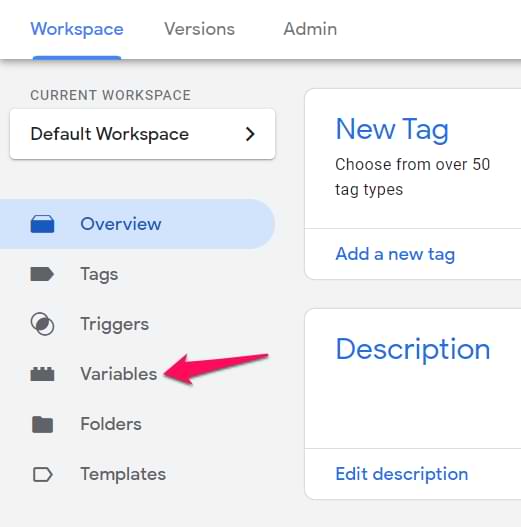
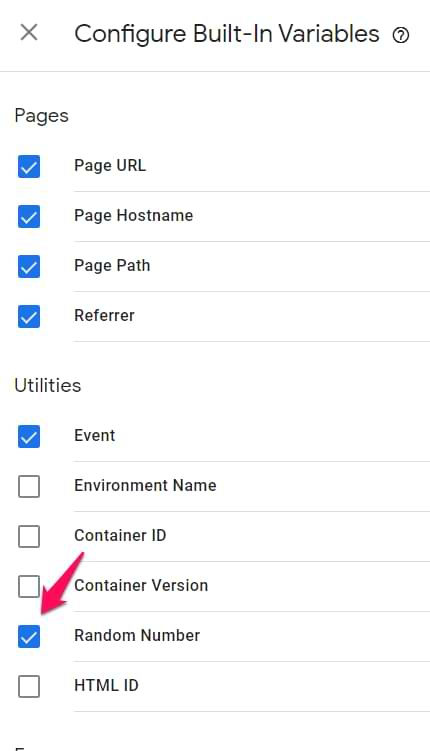
The first way is to click the Configure button and then click the checkbox next to Random number.
The other one is to click the New button in the User-defined variables section, then choose the Random number option and save the variable.
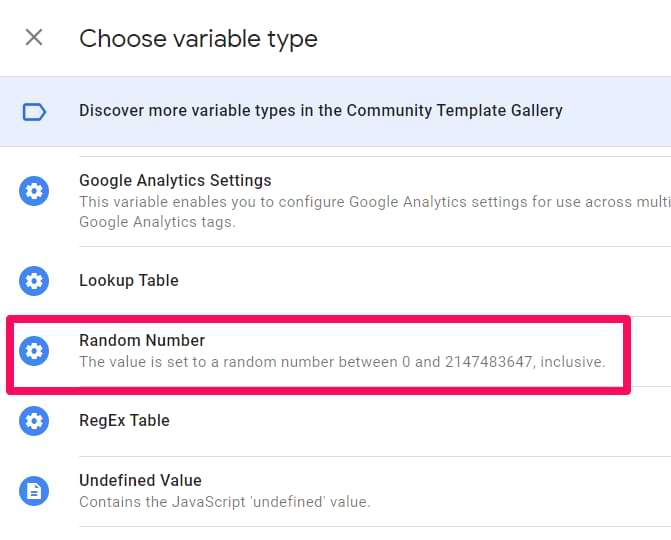
There is no difference between these two options.
What does this variable do?
Simply put, the Random Number variable returns a number, randomized between 0 and 2147483647.
However, it is important to note that the number is returned every time is it invoked (read used). If two tags fire on the same dataLayer.push and they both use the same Random Number variable, both tags will use different values. It’s because the variable was used twice: by each tag separately. And each use resulted in a different random number.
Where is a random number useful?
One of the examples could be to fire a tag, say, in 10% of pageviews. If a random number ends with 1, there is (almost) a 10% probability for that (because a random number can end with 0, 1, 2, 3, 4, 5, 6, 7, 8, or 9 and “ends with 1” is 1 out of 10).
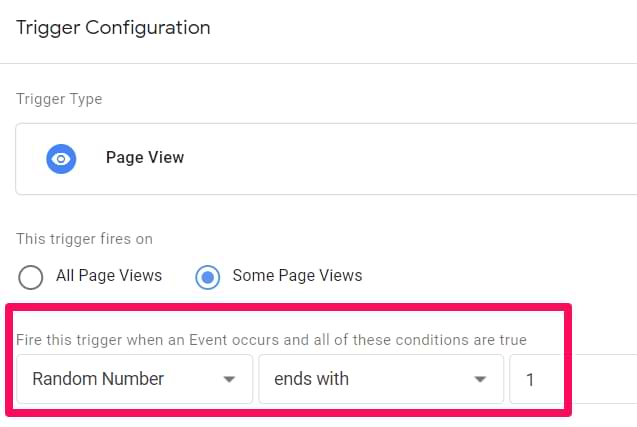
Simo has mentioned it here.
Other use cases of this variable could include creating a session cookie with a random number (this number could be generated with the variable).

A random number from an interval
But what if I want to get a random number from the interval between 1 to 3? In that case, the built-in variable becomes very limited.
The good news is that I have this little piece of JavaScript code that can be implemented as a Custom JavaScript variable.
function ()
{
 var min = 1; //edit the minimum possible value
 var max = 5; //edit the maximum possible value
 return Math.floor(Math.random()*(max-min+1)+min);
}
All you need to do is set the minimum (min) and maximum (max) value of the interval, and every time the page reloads, this variable will return a random value. In the example below, I’ve set the minimum value of 1 and maximum of 5, but you can define anything you want.

Final words on the Random Number
And that’s the end of this fairly quick blog post. To sum up:
- There is no difference if you use a built-in variable or create a user-defined one
- This variable returns different values every time it is invoked. It can even be invoked multiple times during the same dataLayer.push (if multiple items are in the container, use them)
- If you want to get a random number from a small interval, use the Custom JavaScript option instead
0 COMMENTS