


October 17, 2026
“_Tagging Activity Tag” in Google Tag Manager Preview Mode
If you have opened Google Tag Manager’s Preview mode and see a weird “Unknown tag” saying something like “_Tagging Activity Tag 752 Named Tagging Activity 742”, you’ve come to the right place. In this quick guide, I will explain what it is.
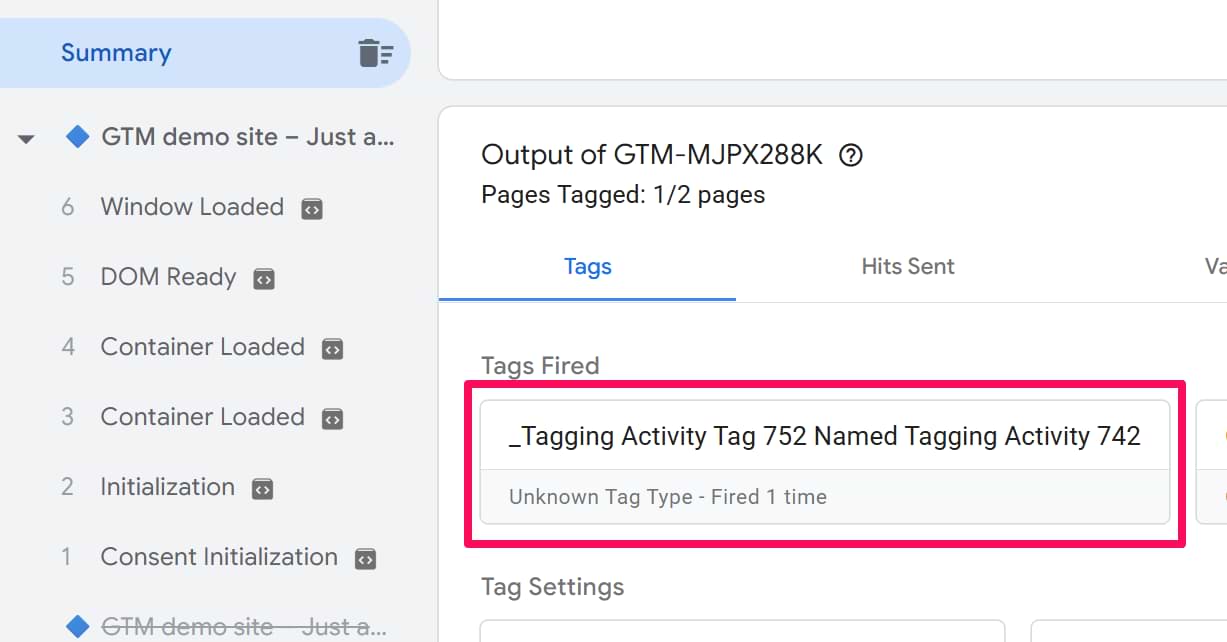
Long story short: nothing is broken in your container; it works fine. Based on my experiments, this is related to Google Consent Mode and some of its settings in Google Tag (or Google Tag Manager). But if you want to learn more, let me explain.
After the major GTM update in October 2026, you can now configure settings for Google Destinations (e.g., Google Analytics) directly in Google Tag Manager. For that, there is a new “Settings” section on the left sidebar of the GTM interface.
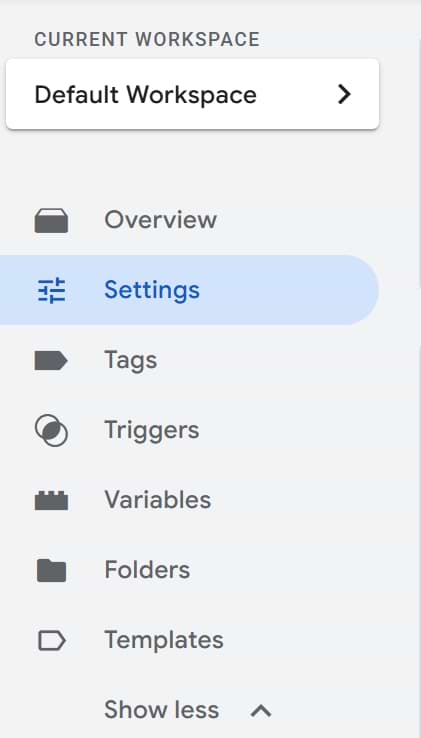
Click it, then click Show More.
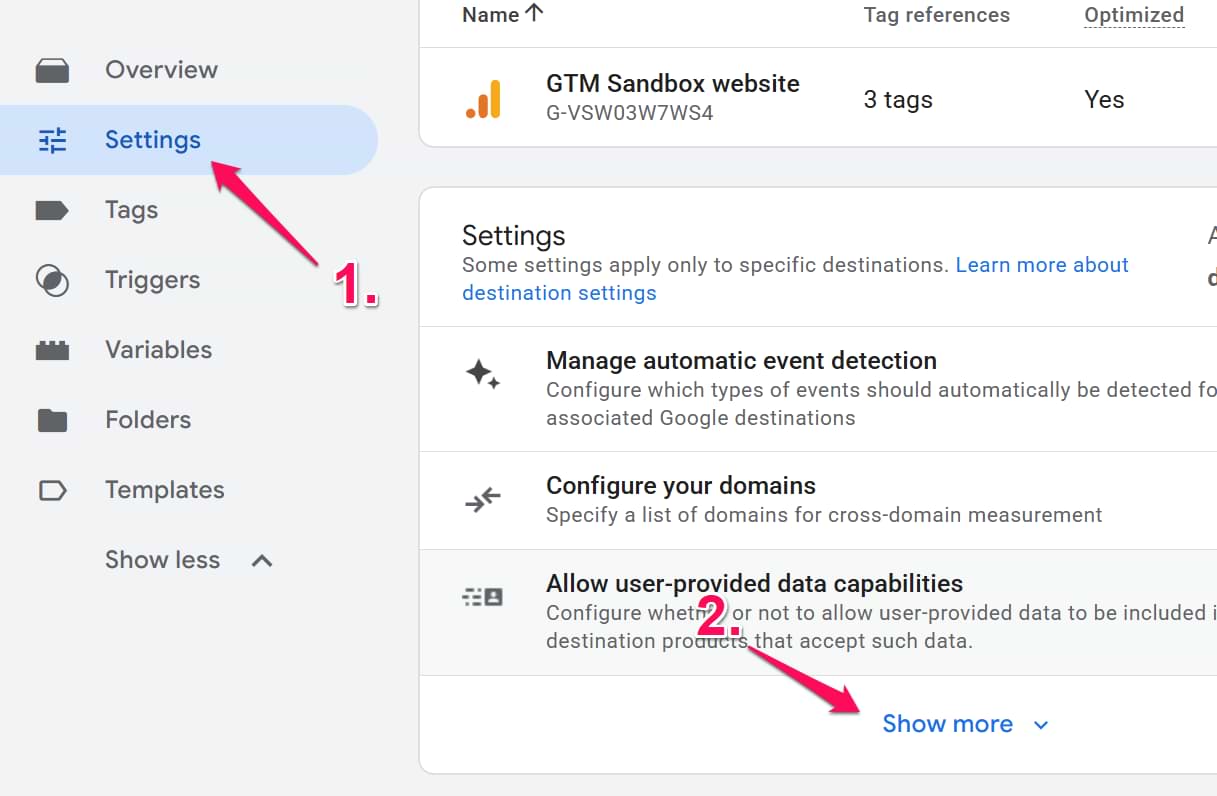
Then you will see a bunch of available settings, some of them can directly impact Google Consent Mode:
- Manage Data Transmission
- Override Consent Mode Defaults

By default, both of these features are disabled, but maybe you (or someone on your team) tweaked and enabled them. If yes, then you will start seeing that mysterious “_Tagging Activity Tag” in the preview mode.
_Tagging Activity Tag: Final Words
So, what can you do about it? Nothing, to be honest. You enabled a particular feature in Google Tag Manager’s settings, and it started working. My only gripe is that this is displayed weirdly. It can easily confuse users (I definitely was). Google could do a better job here. For example, a bunch of other settings (configured in GTM > Settings) are displayed properly in GTM’s preview mode.
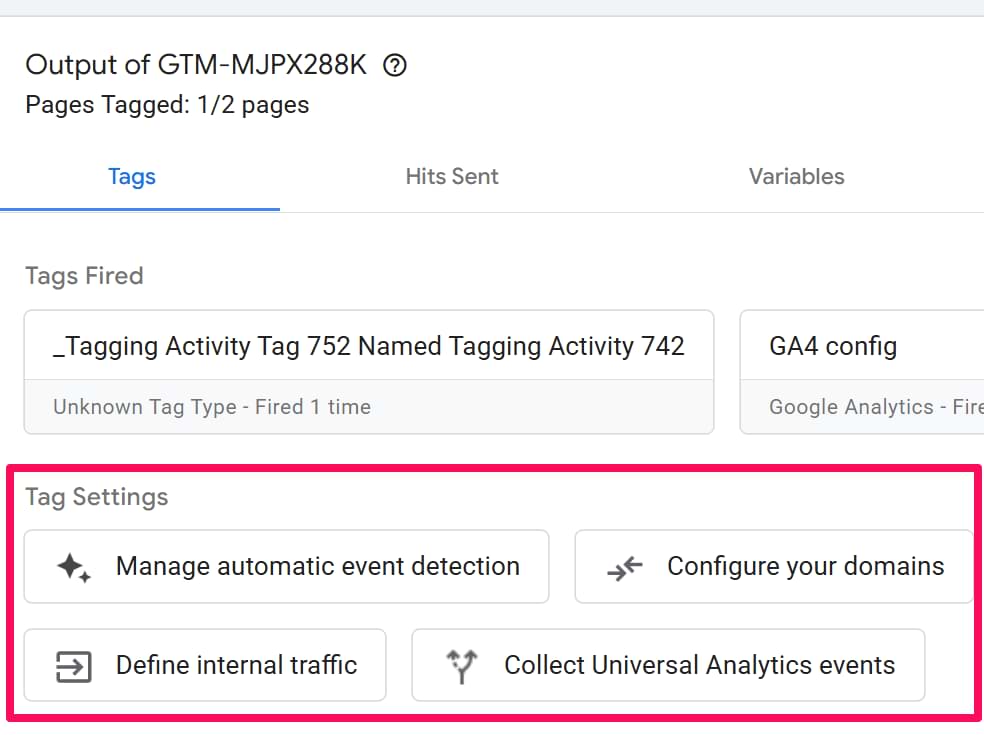
Why not add those two consent-mode-related features there, too? Maybe Google will fix this; who knows. But in the meantime, don’t worry. Your container is fine. The only problem here is that the setting is displayed poorly.

0 COMMENTS